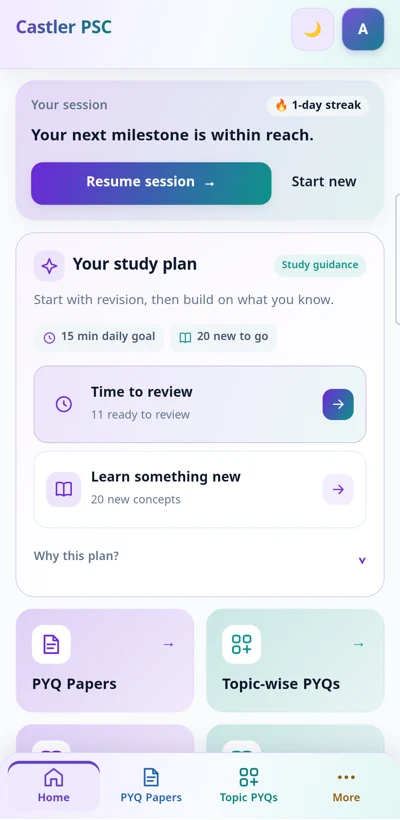
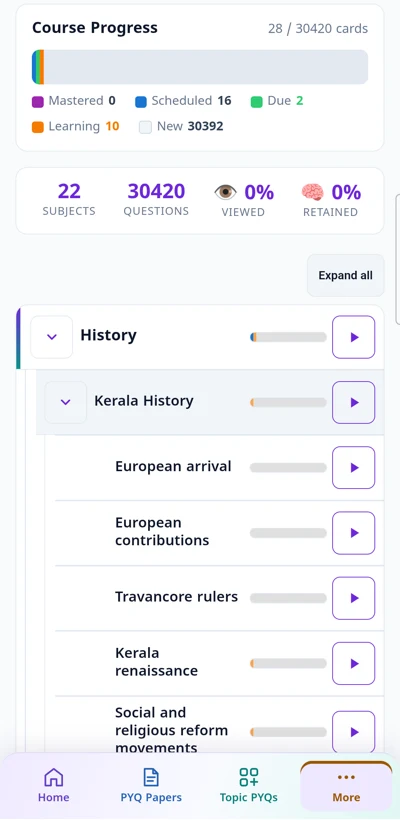
Build a daily habit: clear due reviews, learn a manageable number of new questions, and rate your recall honestly.
Spaced repetition and active recall ratings
Due reviews revisit questions right as your memory needs refreshing. Clear them first to keep older learning fresh before adding new material.
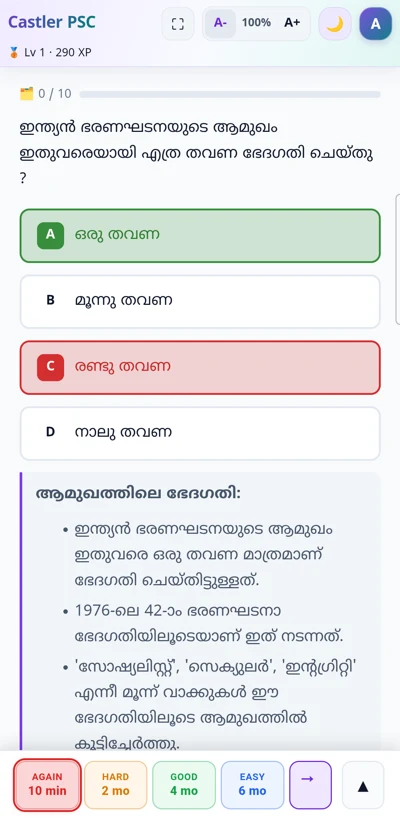
- Again: you could not recall the answer or recalled it incorrectly.
- Hard: you recalled correctly, but with significant difficulty or hesitation.
- Good: you recalled correctly with normal effort.
- Easy: the answer came effortlessly and instantly.
Golden rule: Rate what you remembered before seeing the answer, rather than how familiar it feels afterward.
Active recall vs recognition
Try answering aloud or in your mind before clicking or revealing the answer. Recognising an answer among options can feel deceptively easy, but actively retrieving it cements long-term memory.
Turn on Active Recall in practice settings to hide selectable options until you are ready to reveal. Questions marked Options Required retain their option text because those cues are needed to understand the question.
Choosing a study mode
- Daily practice: build long-term retention with scheduled spaced reviews and new questions.
- Cram mode: revise a selected scope or syllabus intensively. Ratings do not reschedule daily reviews; Again brings the question back later in that Cram session.
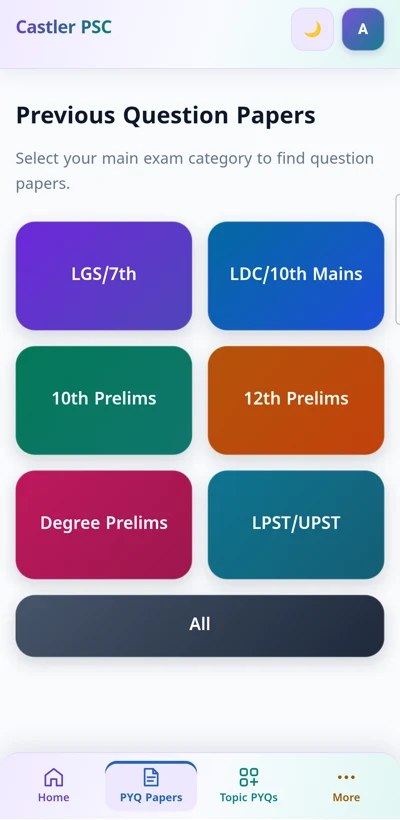
- Previous question papers: practice actual Kerala PSC question papers under authentic timed exam conditions with auto-scoring and negative marking.
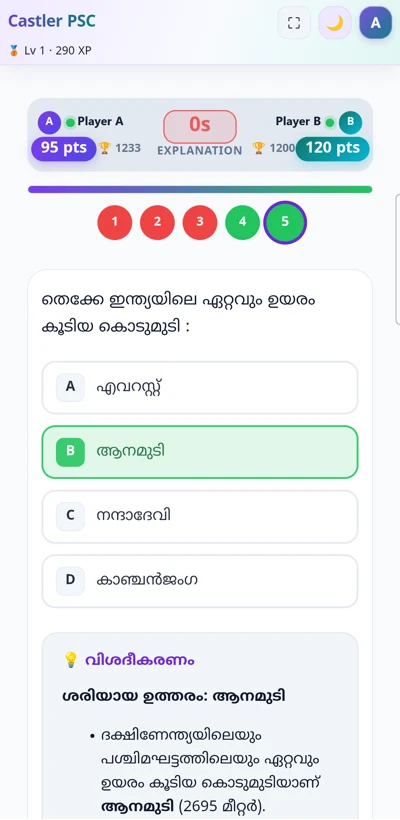
- Live matches: test your knowledge and speed in competitive real-time 1v1 quiz matches with fellow learners.
Key platform features
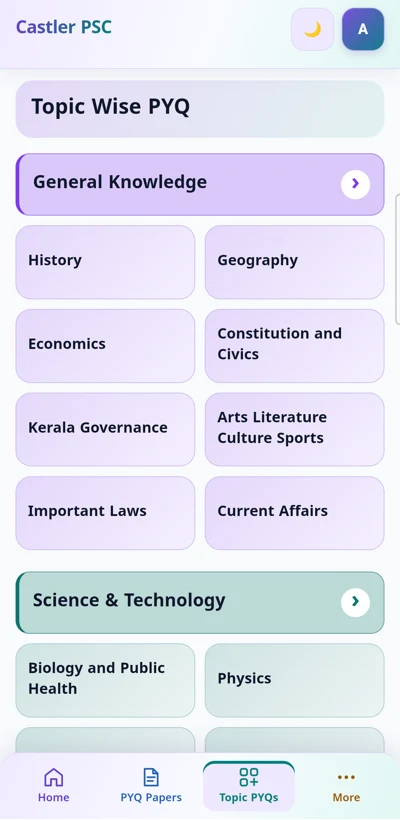
- Syllabus & course tracking: enroll in exam courses (LDC, LGS, Degree Level) and track coverage across the official syllabus tree.
- Daily quests & study streaks: complete Daily Warmup to maintain your streak and earn bonus XP across Study Mastery tiers.
- Bilingual questions: toggle seamlessly between English and Malayalam on supported question cards.
- Question reporting: spot an error or outdated key? Submit a report directly from any card for review.
- Visual comfort: adjust text size with A- / A+ and toggle dark/light themes anytime.
Practice keyboard shortcuts (Desktop)
- Space: reveal the answer; after revealing, submit the selected rating and continue.
- 1–4: choose A–D when options are visible; after revealing, select Again, Hard, Good, or Easy. Press Space to submit.
- U: undo the last review when available.
- S: skip the question for today.
- ?: open this guide. Esc: close it.
Shortcuts pause while typing or using a dialog. On focused buttons and links, Space and Enter retain their usual behaviour.
ചിട്ടയായ പഠനശീലം വളർത്തുക: പഴയ ചോദ്യങ്ങളുടെ റിവിഷൻ (Due reviews) ആദ്യം പൂർത്തിയാക്കുക, നിശ്ചിത എണ്ണം പുതിയ ചോദ്യങ്ങൾ പഠിക്കുക, നിങ്ങളുടെ ഓർമ്മശക്തി സത്യസന്ധമായി വിലയിരുത്തുക.
സ്പേസ്ഡ് റിപ്പറ്റീഷനും ആക്ടീവ് റീകോളും (Spaced Repetition & Active Recall)
പഠിച്ച കാര്യങ്ങൾ മറന്നുപോകാൻ തുടങ്ങുന്ന കൃത്യമായ ഇടവേളകളിൽ ചോദ്യങ്ങൾ വീണ്ടും ഓർത്തെടുക്കാൻ സ്പേസ്ഡ് റെപ്പറ്റീഷൻ സഹായിക്കുന്നു. പുതിയ ചോദ്യങ്ങൾ പഠിക്കുന്നതിന് മുൻപ് മുൻപ് പഠിച്ചവയുടെ റിവിഷൻ (Due reviews) പൂർത്തിയാക്കുക.
- വീണ്ടും (Again): ഉത്തരം ഓർത്തെടുക്കാൻ കഴിഞ്ഞില്ല അല്ലെങ്കിൽ ഉത്തരം തെറ്റിപ്പോയി.
- പ്രയാസം (Hard): ഉത്തരം ശരിയായി ഓർത്തെടുത്തു, പക്ഷേ ഏറെ ആലോചിക്കേണ്ടി വന്നു.
- ശരി (Good): സാധാരണ പരിശ്രമത്തിൽ സ്വാഭാവികമായി ശരിയുത്തരം ഓർത്തെടുത്തു.
- എളുപ്പം (Easy): ഒട്ടും ആലോചിക്കാതെ വളരെ വേഗത്തിലും ആത്മവിശ്വാസത്തോടെയും ഓർത്തെടുത്തു.
പ്രധാന നിർദ്ദേശം: ഉത്തരം കണ്ട ശേഷമുള്ള പരിചയമല്ല, മറിച്ച് ഉത്തരം കാണുന്നതിന് മുൻപ് നിങ്ങൾക്ക് ഓർത്തെടുക്കാൻ സാധിച്ചതിനെ അടിസ്ഥാനമാക്കി റേറ്റിംഗ് നൽകുക.
ആക്ടീവ് റീകോളും തിരിച്ചറിയലും (Active Recall vs Recognition)
ഉത്തരം കാണുന്നതിന് മുൻപ് മനസ്സിലോ ഉച്ചത്തിലോ സ്വയം പറഞ്ഞുനോക്കുക. നാല് ഓപ്ഷനുകൾ മുന്നിൽ കാണുമ്പോൾ ഉത്തരം തിരിച്ചറിയുന്നത് എളുപ്പമായി തോന്നാമെങ്കിലും, സ്വയം ഓർത്തെടുത്ത് പഠിക്കുന്നത് (Active Recall) പരീക്ഷാ ഹാളിൽ കാര്യങ്ങൾ കൃത്യമായി ഓർത്തെടുക്കാൻ ഏറെ സഹായിക്കും.
ഓപ്ഷനുകൾ മറച്ചുവെച്ച് പരിശീലിക്കാൻ പ്രാക്ടീസ് സെറ്റിംഗ്സിൽ നിന്ന് ആക്ടീവ് റീകോൾ (Active Recall Mode) ഓൺ ചെയ്യാം. ഓപ്ഷനുകൾ വായിക്കാതെ മനസ്സിലാക്കാൻ കഴിയാത്ത ചോദ്യങ്ങൾക്ക് (Options Required) ഓപ്ഷനുകൾ സ്വയം കാണിക്കുന്നതാണ്.
പഠന രീതികൾ (Study Modes)
- ദിവസേനയുള്ള പരിശീലനം (Daily Practice): ശാസ്ത്രീയ റിവിഷനുകളിലൂടെയും പുതിയ ചോദ്യങ്ങളിലൂടെയും ദീർഘകാല ഓർമ്മ ഉറപ്പാക്കാൻ.
- ക്രാം മോഡ് (Cram Mode): പരീക്ഷയ്ക്ക് തൊട്ടുമുമ്പ് പ്രത്യേക വിഷയങ്ങളോ സിലബസോ കേന്ദ്രീകരിച്ച് വേഗത്തിൽ തീവ്ര പരിശീലനം നടത്താൻ. ക്രാം മോഡിലെ റേറ്റിംഗുകൾ നിങ്ങളുടെ ദിവസേനയുള്ള റിവിഷൻ ഷെഡ്യൂളിനെ മാറ്റില്ല.
- മുൻവർഷ ചോദ്യപേപ്പറുകൾ (Previous Question Papers): മുൻവർഷ കേരള പി.എസ്.സി ചോദ്യപേപ്പറുകൾ ടൈമറും നെഗറ്റീവ് മാർക്കിംഗും സഹിതം യഥാർത്ഥ പരീക്ഷാ മാതൃകയിൽ എഴുതി പരിശീലിക്കാം.
- ലൈവ് മത്സരങ്ങൾ (Live Matches): മറ്റ് ഉദ്യോഗാർത്ഥികളുമായി തത്സമയം 1v1 ക്വിസ് മത്സരത്തിൽ പങ്കെടുത്ത് വേഗതയും കൃത്യതയും മെച്ചപ്പെടുത്താം.
പ്രധാന ഫീച്ചറുകൾ (Key Features)
- സിലബസും കോഴ്സുകളും (Syllabus & Courses): LDC, LGS, ഡിഗ്രി ലെവൽ തുടങ്ങിയ നിർദ്ദിഷ്ട പരീക്ഷാ കോഴ്സുകളിൽ ചേർന്ന് സിലബസ് ടോപ്പിക്ക് തിരിച്ച് പഠിക്കാം.
- ഡെയ്ലി ക്വസ്റ്റുകളും സ്ട്രീക്കും (Daily Quests & Streaks): ദിവസേനയുള്ള ക്വസ്റ്റുകൾ പൂർത്തിയാക്കി ബോണസ് XP-യും സ്ട്രീക്കുകളും മാസ്റ്ററി ടയറുകളും നേടാം.
- ദ്വിഭാഷാ ചോദ്യങ്ങൾ (Bilingual Questions): ചോദ്യങ്ങൾ മലയാളത്തിലും ഇംഗ്ലീഷിലും അനായാസം മാറ്റി വായിക്കാം.
- ചോദ്യങ്ങൾ റിപ്പോർട്ട് ചെയ്യൽ (Report Question): ചോദ്യങ്ങളിലോ ഉത്തരങ്ങളിലോ എന്തെങ്കിലും തെറ്റുകൾ കണ്ടാൽ ആപ്പിൽ നിന്ന് നേരിട്ട് റിപ്പോർട്ട് ചെയ്യാം.
- വായനാ സൗകര്യം (Reading Comfort): A- / A+ ഉപയോഗിച്ച് അക്ഷരങ്ങളുടെ വലുപ്പം കൂട്ടാം, ഡാർക്ക് / ലൈറ്റ് തീമുകൾ മാറ്റാം.
കീബോർഡ് ഷോർട്ട്കട്ടുകൾ (Keyboard Shortcuts)
- Space: ഉത്തരം കാണിക്കാൻ; ഉത്തരം കണ്ട ശേഷം തിരഞ്ഞെടുത്ത റേറ്റിംഗ് സമർപ്പിച്ച് അടുത്ത ചോദ്യത്തിലേക്ക് പോകാൻ.
- 1–4: ഓപ്ഷനുകൾ കാണുമ്പോൾ A–D തിരഞ്ഞെടുക്കാൻ; ഉത്തരം കണ്ട ശേഷം വീണ്ടും (1), പ്രയാസം (2), ശരി (3), എളുപ്പം (4) റേറ്റിംഗുകൾ നൽകാൻ.
- U: അവസാന റിവ്യൂ പഴയപടിയാക്കാൻ (Undo).
- S: ചോദ്യം ഇന്നത്തേക്ക് ഒഴിവാക്കാൻ (Skip).
- ?: ഈ ഗൈഡ് തുറക്കാൻ. Esc: ഗൈഡ് ക്ലോസ് ചെയ്യാൻ.
ടൈപ്പ് ചെയ്യുമ്പോഴും ഡയലോഗുകൾ തുറന്നിരിക്കുമ്പോഴും ഷോർട്ട്കട്ടുകൾ താൽക്കാലികമായി നിലയ്ക്കും. ബട്ടണുകളിലും ലിങ്കുകളിലും Space, Enter കീകൾ സാധാരണ പോലെ പ്രവർത്തിക്കും.